Trump rings opening bell from White House to launch 'Trump Accounts' for kids
Here’s a completely simplified guide on how to open a Trump Account for your child
Published July 06, 2026
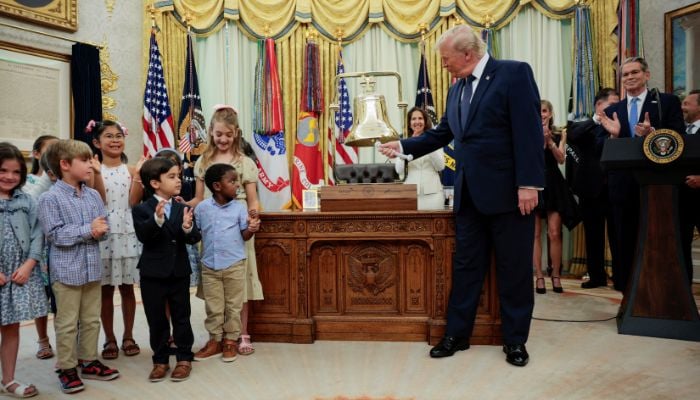
United States (U.S.) President Donald Trump rang the opening bells of the New York Stock Exchange and Nasdaq from the White House on Monday, July 6, 2026, officially launching Trump Accounts, a new savings program for American children.
Trump Accounts were created under the One Big Beautiful Bill Act, the tax and reform package Republicans passed through Congress last year. Speaking after ringing the bell, Trump said: “This is about the Trump Accounts, which are absolutely incredible for children,” adding that kids who start with nothing can grow up wealthy by the time they turn 18.
These accounts invest money in low-cost index funds tied to the broader U.S. stock market, with the government providing a $1,000 head start for every eligible child, born between 2025 and 2028. Parents can put in up to $5,000 a year and employers can add up to $2,500 a year without it counting as taxable income for the parent.
Trump said the government deposited $1,000 each into more than 500,000 children's accounts on July 4. Millions more are expected to receive money from private donors. Tech billionaire Michael Dell and his wife Susan contributed $6.25 billion combined, giving $250 each to accounts for children age 10 and under in certain lower-income ZIP codes.
A simple guide: How to open a Trump Account for your child
Check eligibility. Your child needs a valid Social Security number and must be under 18. Kids born between January 1, 2025, and December 31, 2028, qualify for the $1,000 government deposit.
File IRS Form 4547. This is the official election form to open the account. You can file it:
Online through your IRS individual account (sign in with ID.me), or
Through the portal at TrumpAccounts.gov
Wait for a confirmation email. Once your election is processed, you'll get an email from [email protected] with instructions to activate the account.
Download the app or use the website. The Trump Accounts app is available on the Apple App Store and Google Play. If you don’t have a smartphone? You can use the web version at trumpaccounts.gov.
Complete activation. Enter the email you used to apply, verify it with a code, add and verify your phone number, and set a password.
Start contributing (optional). Once active, you can add up to $5,000 a year. If your child qualifies, the $1,000 federal deposit lands automatically. No contribution is required, the government's seed money grows on its own.
Track it all in the app. Parents can view balances, performance and manage multiple children's accounts from one dashboard.
There's no cost to open an account, and no income requirement for parents.