How to keep Claude chats private? Here's how to secure your search history
Claude AI users’ private chats exposed in Google search history, raising security concerns
Published July 28, 2026
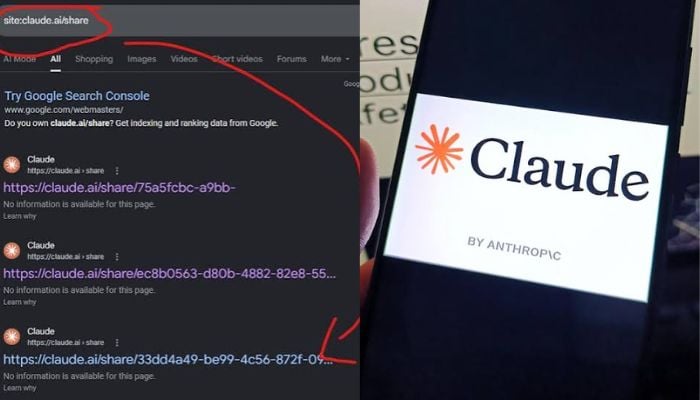
Hundreds of conversations with Anthropic’s Claude AI chatbot were discovered on publicly searchable Google over the weekend, exposing sensitive information of thousands of users.
The exposed data includes detailed medical reports, clinical trials with patient names, company documents flagged as internal use only, employee reviews, cryptocurrency wallet keys, and names and phone numbers of school-aged children.
Addressing this issue, Anthropic’s spokeswoman Amie Rotherham said: “These shareable links are not guessable or discoverable unless people choose to share them themselves. When someone shares a conversation, they are making that content publicly accessible.”
This urged users to make chats secure and prevent future exposure.
- Open Claude, go to settings.
- Navigate to privacy and shared chats in your Claude account.
- Review the list of all chats with active public links
- Revoke access to chats you want to secure
- Delete already shared links for sensitive information immediately
For further caution, avoid sharing sensitive information or confidential documents in chats.
You can also use private mode by default and don’t share chats with sensitive info, as these links can be indexed by search engines.