How to keep YouTube playing while using other apps with free picture-in-picture?
YouTube finally unlocks picture-in-picture for everyone, no premium required
Published April 30, 2026
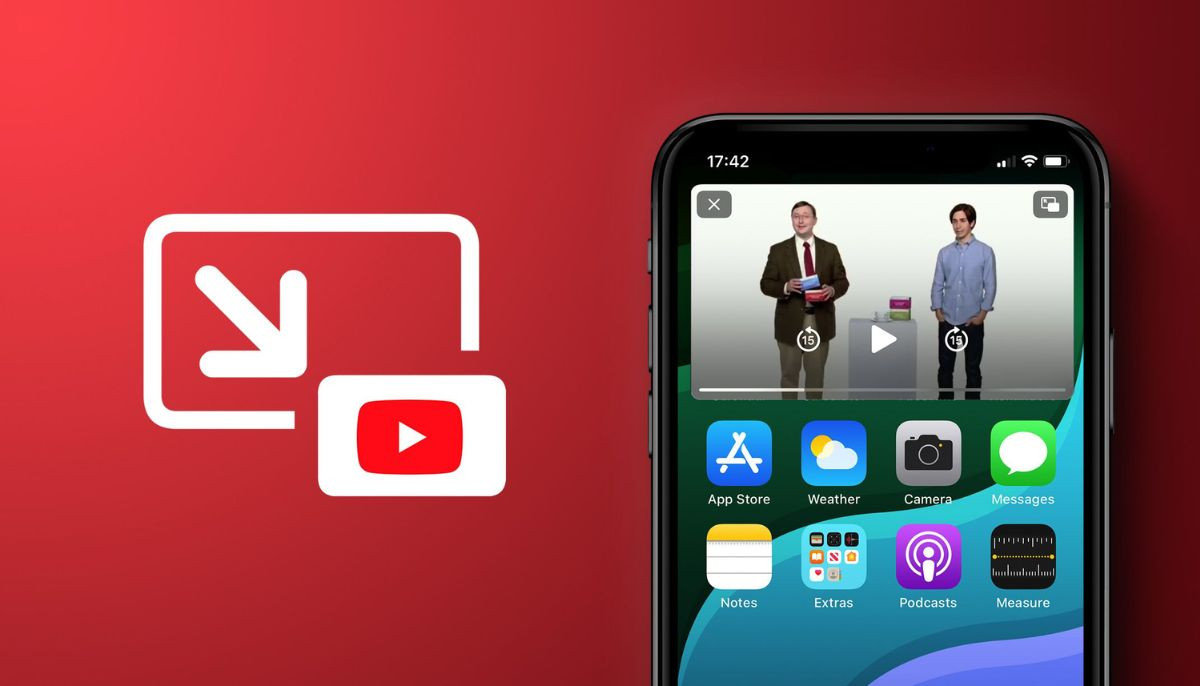
YouTube has rolled out its picture-in-picture (PiP) mode for all users worldwide without any additional fee.
This ends its long-standing restriction that limited the feature to U.S. users and Premium subscribers.
With this feature, users can now shrink YouTube videos into a small, movable window while using other apps on their iPhones and iPads.
To activate the feature:
- Update your YouTube app to the latest version
- Start playing any long-form video (Except a music video)
- Exit the YouTube App
- The video will shrink automatically
- You can now open any other app
- Control the picture-in-picture window by dragging it anywhere on screen
PiP for music videos is still available only to Premium users.
This facility is not new to the US and even for Premium users worldwide. The recent release of this feature gives all international users access to PiP for "longform, non-music content" on iOS and Android platforms.
A spokesperson for YouTube stated that the changes regarding this feature will roll out on users' account “in the coming months,” which implies that this process will take some time.
The upgrade is unlikely to affect any advantages already available to premium users. This is because Premium Lite users can continue to access PiP for long-form, non-music videos, whereas full Premium users can avail themselves of a special offer of PiP music and non-music videos.