How to change your Gmail username? Here's how Google's new update works
Published April 01, 2026
In a highly anticipated update, Google has finally enabled its users to change their Gmail username (the part before @gmail.com).
Last year, the feature was only accessible to a limited number of users. But now, it is available for all Google Account users in the U.S.
Since inception, users were bound to use the same username they selected when they created their Gmail account for the first time.
But now, there’s complete flexibility to update the digital identity. Once the user changes their name, it will be applicable across all Google services, including Gmail, Google Photos, Drive, etc.
In the official blog post, the company wrote: “The ability to change a username is available now for all Google Account users in the U.S.”
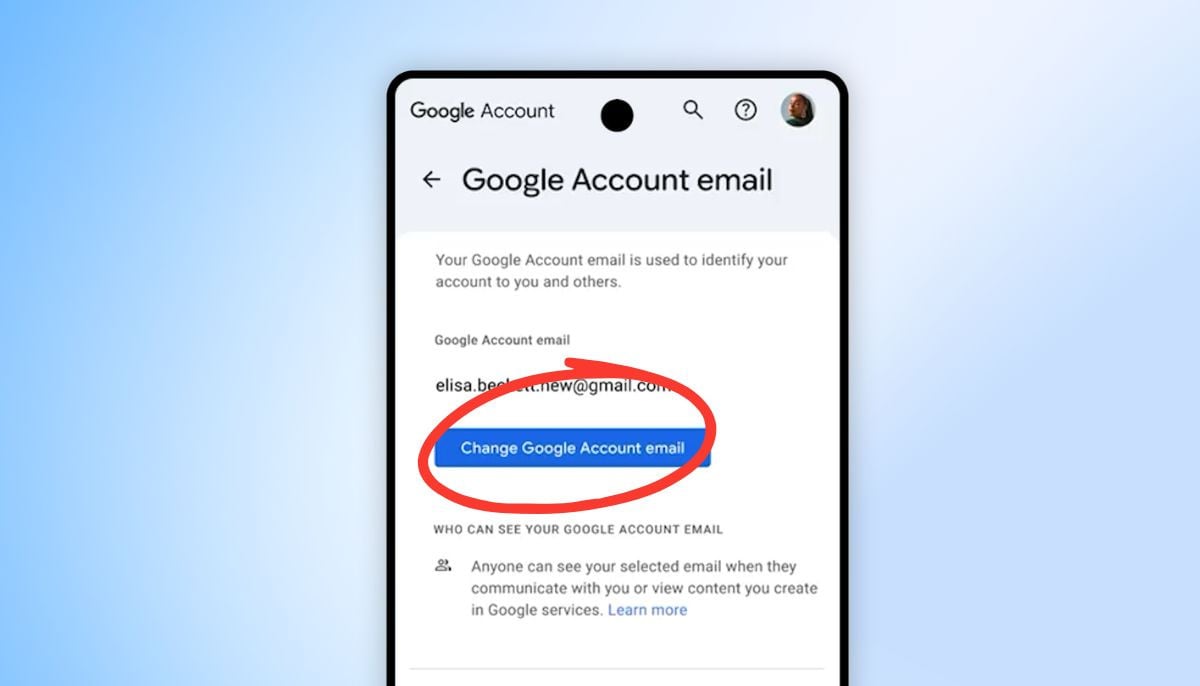
To do so:
- Go to your Google account’s settings
- Tap personal info
- Go to email, then select “Google Account Email.”
- Then select “Change Google Account Email.”
- Pick the username you like
The old email still remains active, and the emails sent to your old email will still reach you. However, the user can only select a new username after 12 months.